
Most people have been “almost done” with their website for two years. The draft exists somewhere. The domain might even be purchased. But it never actually goes live because every time they sit down to work on it, the whole thing feels bigger than it did the last time.
Koadz AI cuts through that. It’s not built for people with design backgrounds or coding knowledge. It’s built for the student who needs a portfolio before campus placements, the home baker who’s tired of taking orders over Instagram DMs, the tutor whose entire client base is just whoever was referred by the last client. Anyone who needs a proper website and has been putting it off.
This is the whole process from nothing to live.
1. Sign Up
Head to Koadz.ai and hit the sign up button. Create an account with Google in one click, that’s literally it. Inside in under a minute.
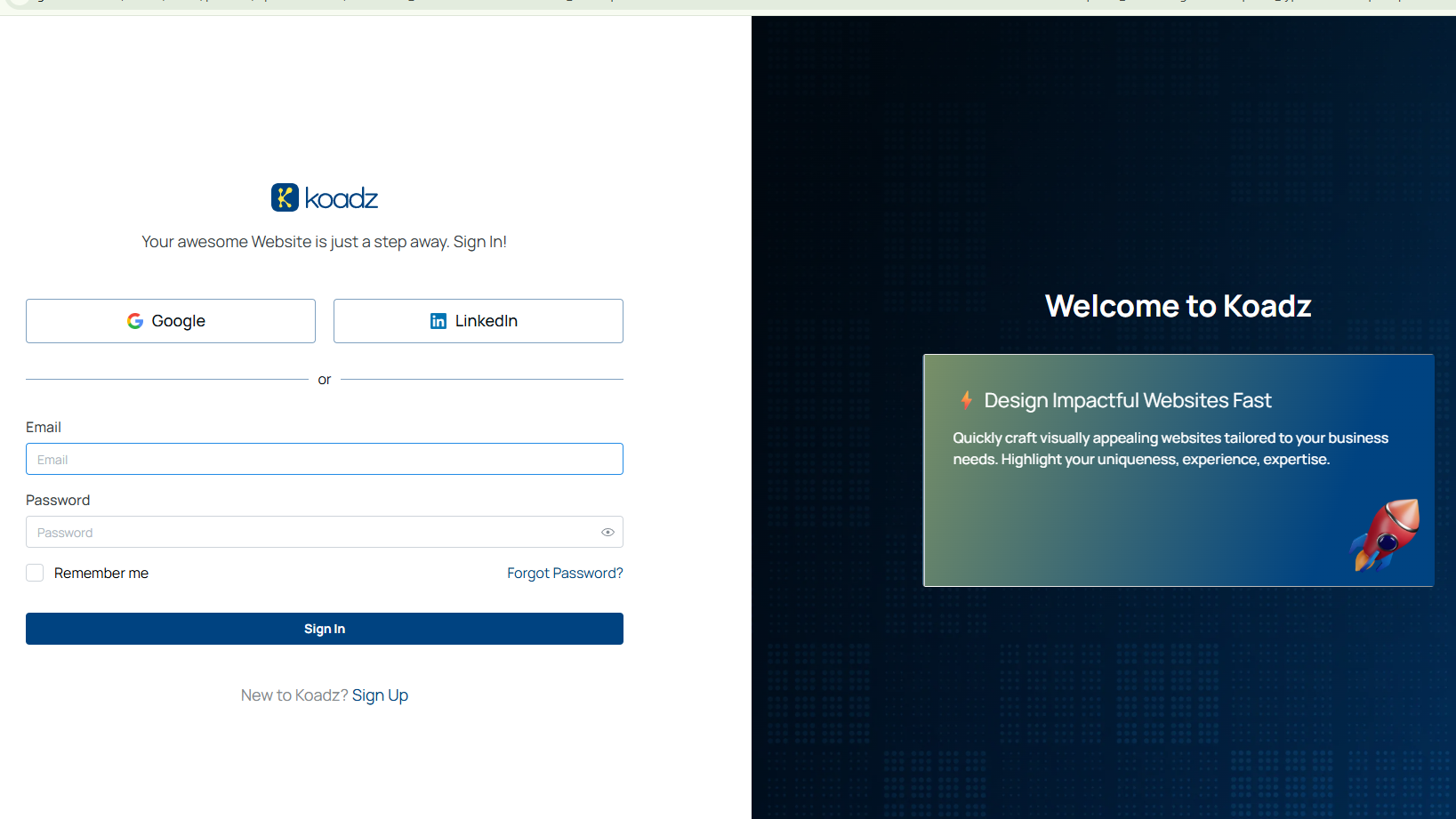
(Koadz AI sign up page showing Google and LinkedIn login options)
2. Describe Your Website Like You’re Explaining It to Someone
This is where you meet Professor Bufo, Koadz’s mascot and the friendly face that guides you through the build. He shows up right at the start and asks one simple question: what is this website actually for?
Answer it in plain language. Same way you’d explain it to a friend. A freelance photographer might write “I shoot portraits and events and I want potential clients to see my work and book a session.” A small business owner might write “I sell handmade candles and I want people to browse my products and place orders online.”
Professor Bufo takes that and gets to work. Pages, sections, navigation, starter text, all structured and ready. Editing starts from that point, not building from zero. That difference is bigger than it sounds.
“You’re not starting from scratch. You’re walking into a room that’s already been set up. Your job is just to make it yours.”
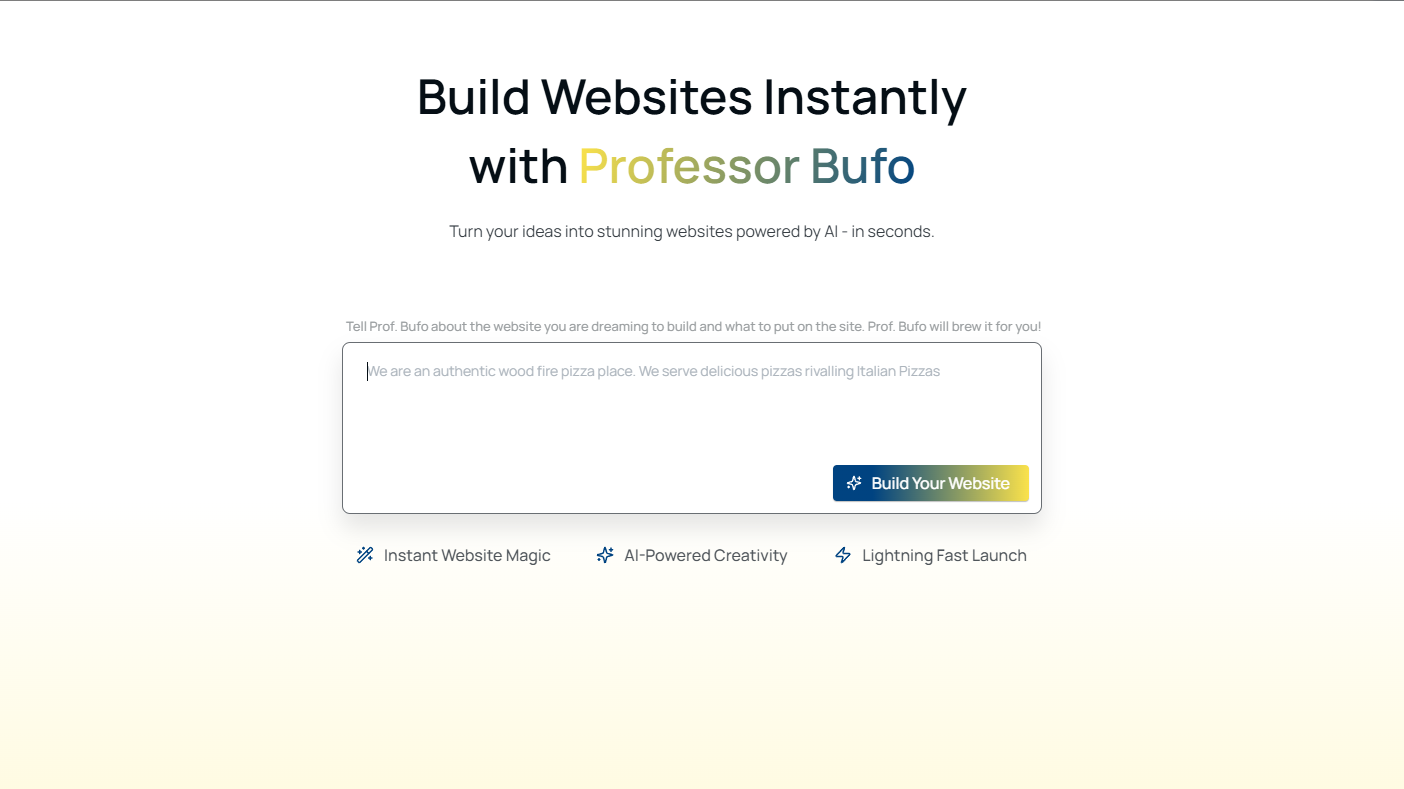
(Professor Bufo website builder prompt screen on Koadz AI)
3.Pick a Visual Direction
After the site is generated there will be a few visual style options to pick from. Clean and professional, warm and personal, bold and creative, simple and minimal.
Spend five minutes on this, not forty five. People agonise over this step and it’s honestly the least important one at this stage. Pick whatever feels closest to the tone you want and keep moving. Colors and fonts can be changed later anyway.
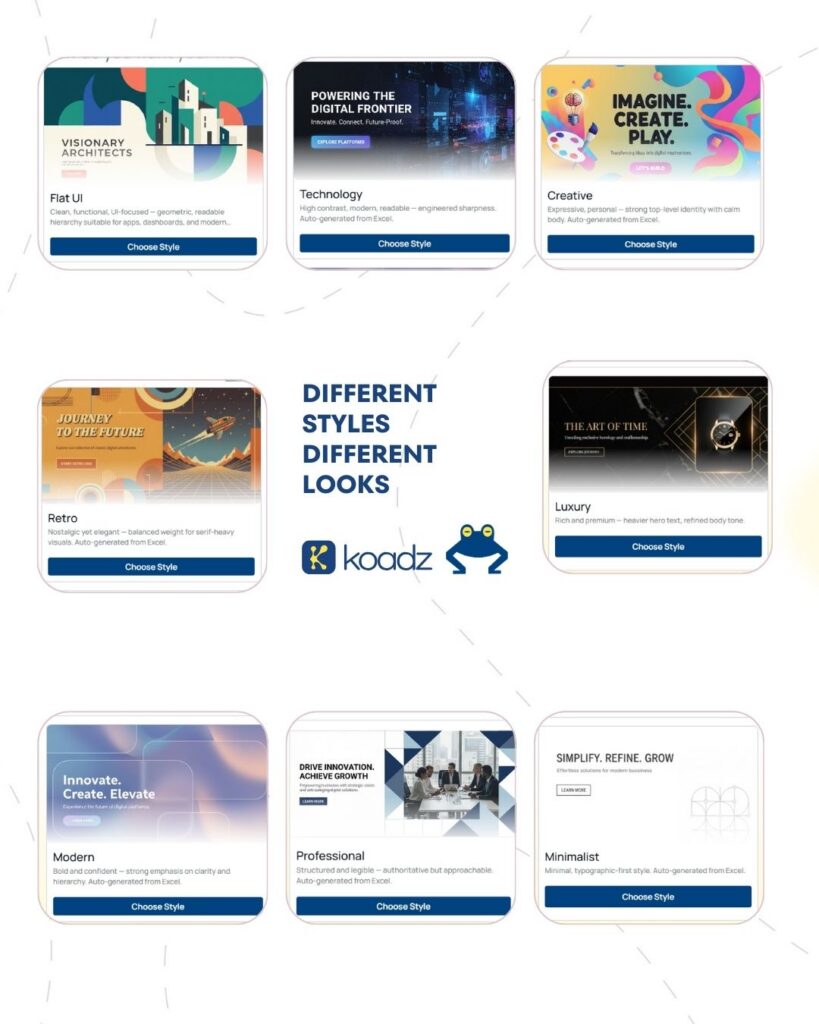
(Koadz AI visual style selection screen showing multiple website styles)
4. Logo, Colors, Fonts
Logo: If there’s a logo ready, upload it. If not, Koadz has a logo generator built in. Whatever comes out will be good enough to launch with and it can always be refined later when it actually matters.
Colors: two or three maximum. Most websites that look messy aren’t actually badly designed, they just have too many colors fighting each other. One main color, one background, one accent if needed.
Fonts: one font used consistently across the whole site looks ten times more finished than three different fonts that each seemed like a good idea at the time.
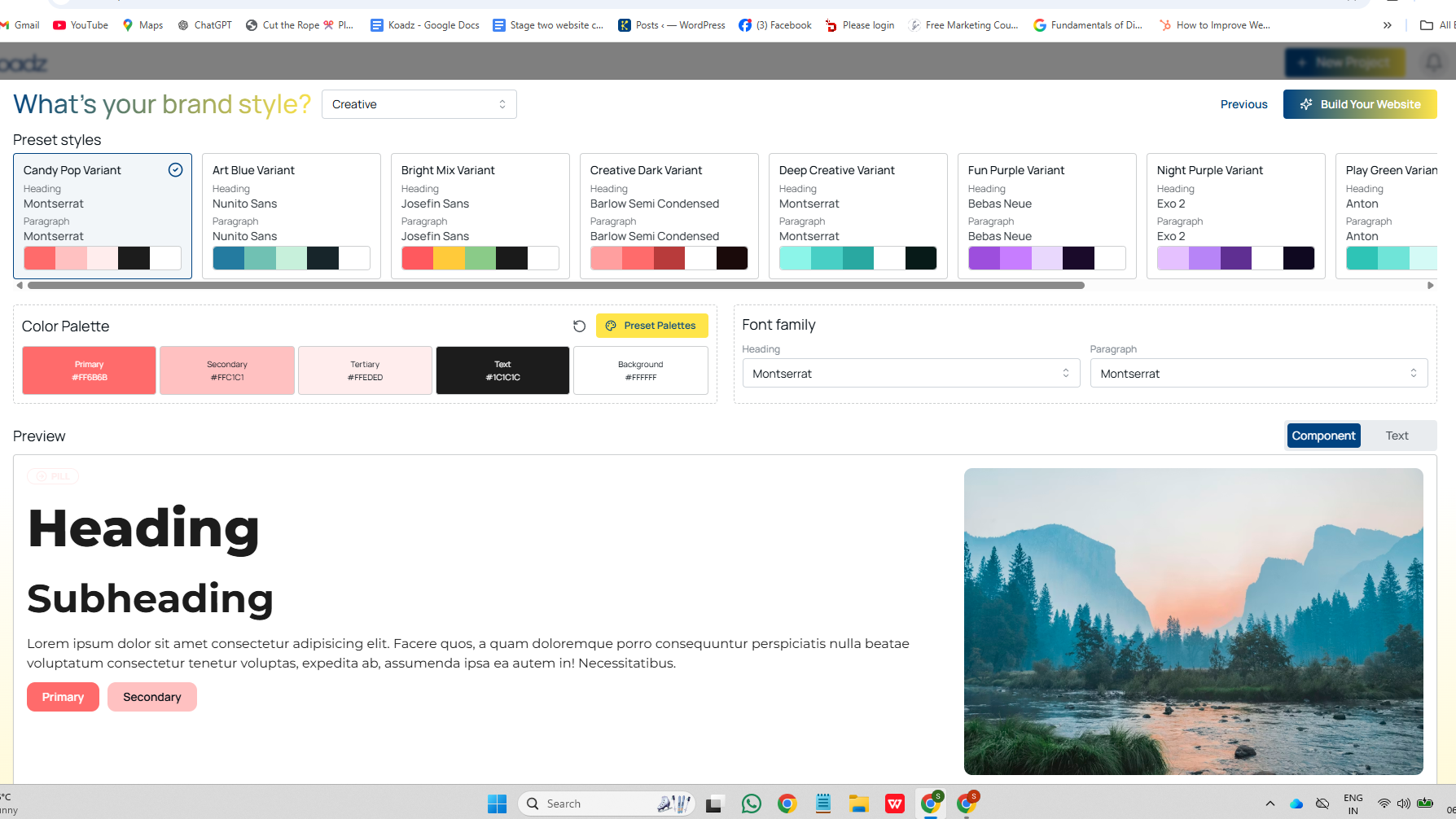
(Koadz AI brand style editor showing color palette and font family options)
5. Go Through the Text
Koadz generates starter copy based on the description from step two. Some of it will be solid. Some of it will be a bit generic and worth rewriting. The goal is to make it sound like a real person wrote it, not like a website template.
The headline at the top of the homepage is the one thing worth spending real time on. It needs to tell someone immediately what the site is about and who it’s for. “Freelance UI Designer for Early Stage Startups” does that job. “Turning Ideas Into Reality” does not.
The about section is where visitors quietly decide whether they trust the person behind the site enough to reach out. Skip the formal third person language. Skip the adjectives. Just say who you are, what you do, and why you do it. Two or three honest sentences will outperform a perfectly polished paragraph every time.
Contact details need to be findable without effort. Near the top, at the bottom, and whatever link or form is being used should actually work before publishing.
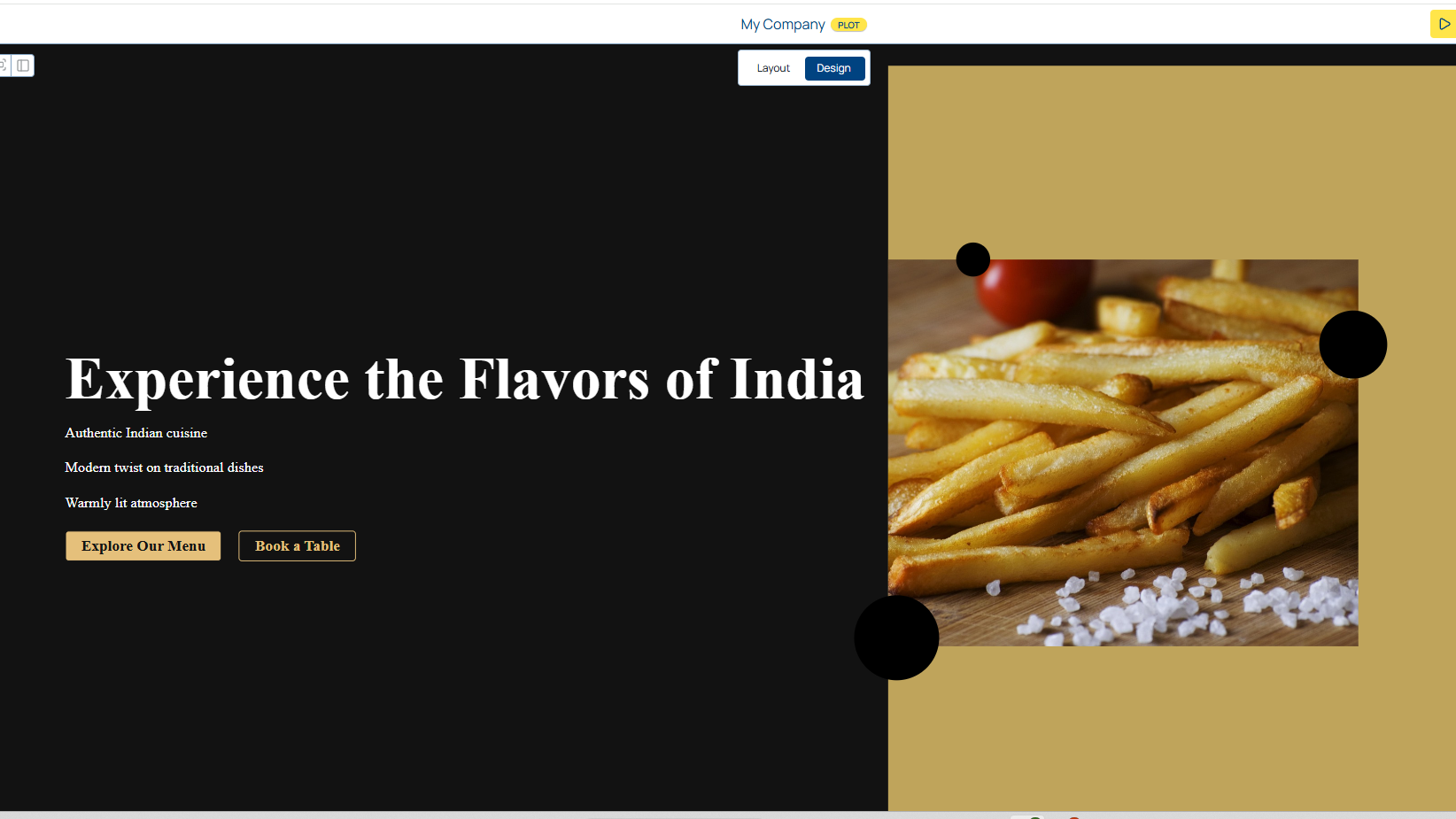
(Koadz AI generated website preview for an Indian restaurant)
If you want to understand how a site should be structured before finalising anything, Mobile First Design: Why It’s the Only Approach That Works in 2026 is a good read at this stage.
6. Add Visuals
Real photos of actual work will always do more than anything else on the site. Project screenshots, product photos, a real photo of the person behind the business. These things tell a visitor there’s a real human behind the site and that matters more than most people think.
Not ready with photos yet? Two options inside Koadz. There’s a built in stock image library for placeholders. And there’s an AI photo generator right in the editor where you describe what you want and it creates the image on the spot. Banner visuals, section backgrounds, whatever is needed, without leaving the platform.
Use those to get the site live. Add real photos when they’re ready.
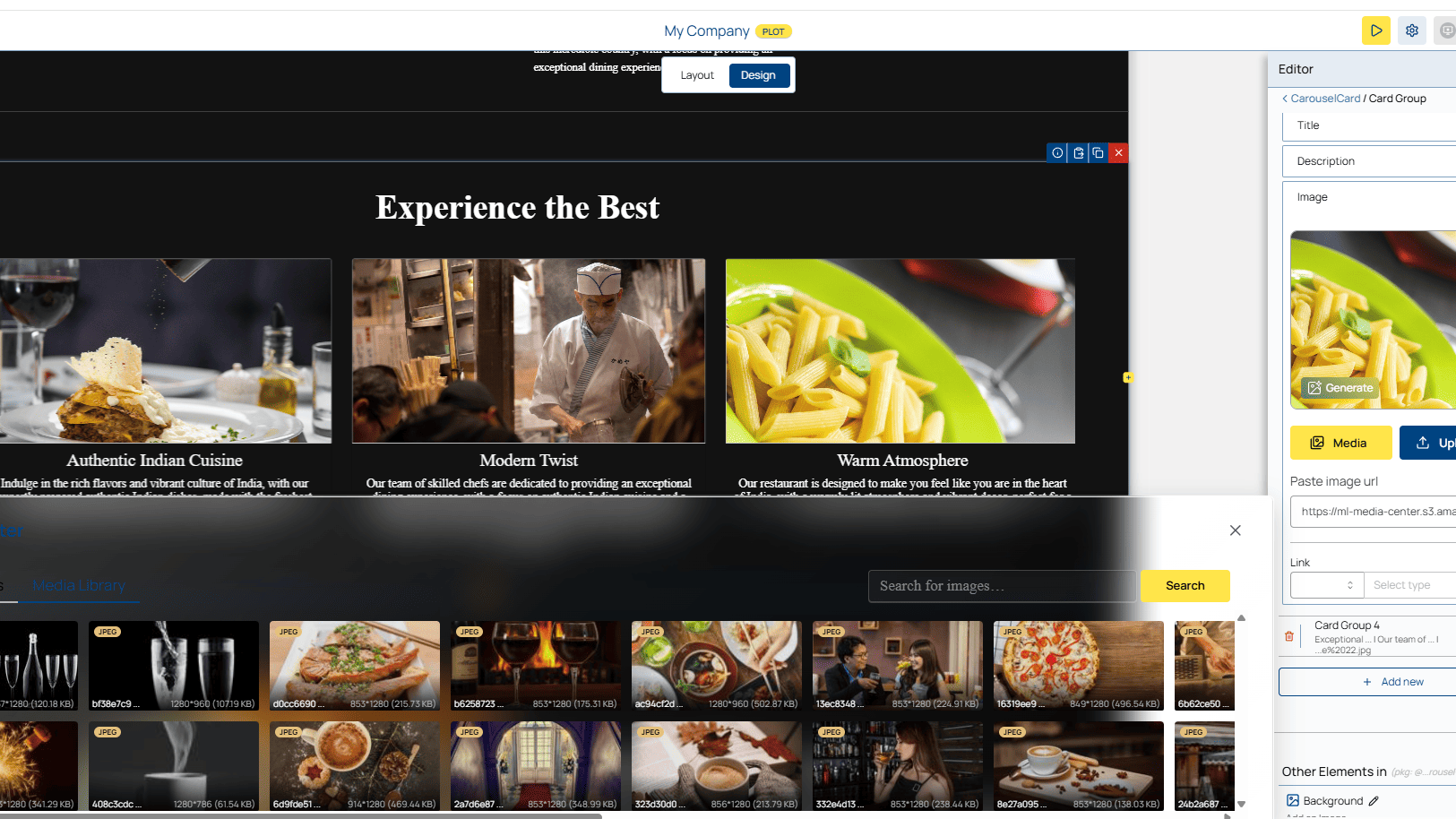
(Koadz AI image library and stock photo search panel inside the website editor)
7. Check It Then Publish
One full walkthrough before hitting publish.
Read every page out loud. It sounds like extra work but it catches things that reading silently doesn’t. Awkward sentences, missing words, sections that don’t quite flow right.
Check the mobile view in Koadz’s preview mode. A site that looks great on a laptop and broken on a phone is going to lose most of its visitors before they read a single word.
Before going live, run through the Beginner Website Checklist: 12 Things to Prepare Before You Launch. It covers the things most people only notice are missing after they’re already live.
Once everything checks out, publish it.
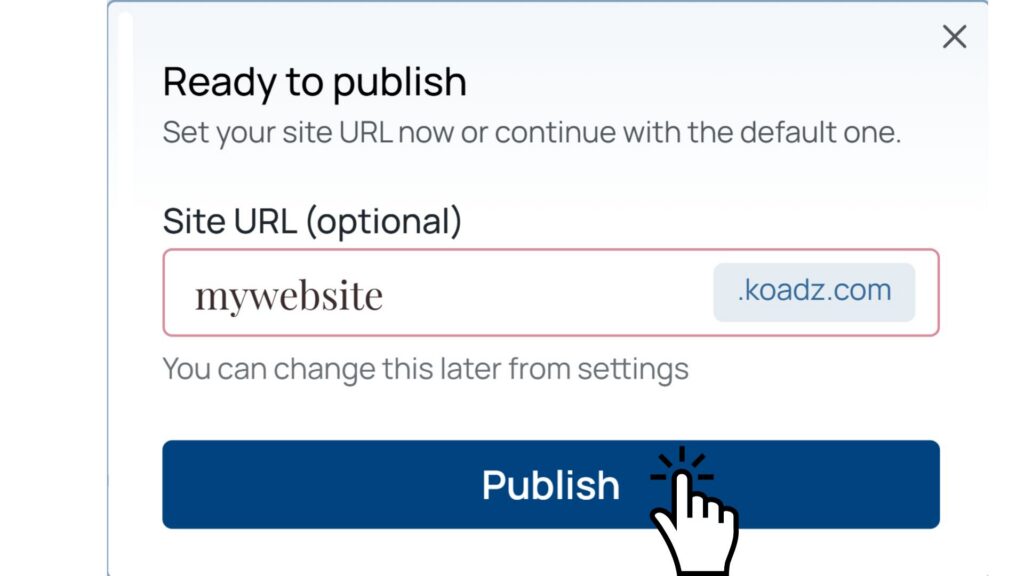
(Koadz AI publish screen showing site URL setup and publish button)
8. After It Goes Live
Share the link with a few people and ask them something specific. Not “what do you think” because that gets vague answers. Ask “is it immediately clear what this site is about and do you know how to contact them.” Those two things are what actually determine whether a website is working.
Keep it updated from there. New projects, new services, changed pricing, whatever shifts in the work should show up on the site too. An outdated website starts working against you after a while.
“The version that exists right now, even if it’s not perfect, will do more work live than it will sitting in drafts waiting to be finished.”
There will always be a reason to wait before launching. Better photos, more polished copy, one more section to add. That list never fully clears. Put it out there. Fix it as you go.