

Until a few years ago, creating a website meant hiring a developer, waiting weeks, and spending a significant amount of money. In 2025, that’s no longer necessary.
With the rise of no-code website builders, anyone can design and publish a professional-looking website without writing a single line of code. Small businesses, freelancers, and local shops are now able to go online faster and at a fraction of the traditional cost.
This guide explains what no-code website building means, why it matters for small businesses, and how you can create your own site step by step.
What Does “No-Code Website Building” Mean?
A no-code website builder is a tool that lets you create a website visually instead of through code. You can choose a template, edit text, upload images, and arrange sections using a drag-and-drop interface.
In short, it turns web design into something anyone can do.
For example, a bakery owner can create an order page in an afternoon, or a yoga instructor can publish a class schedule online without needing to know HTML or CSS.
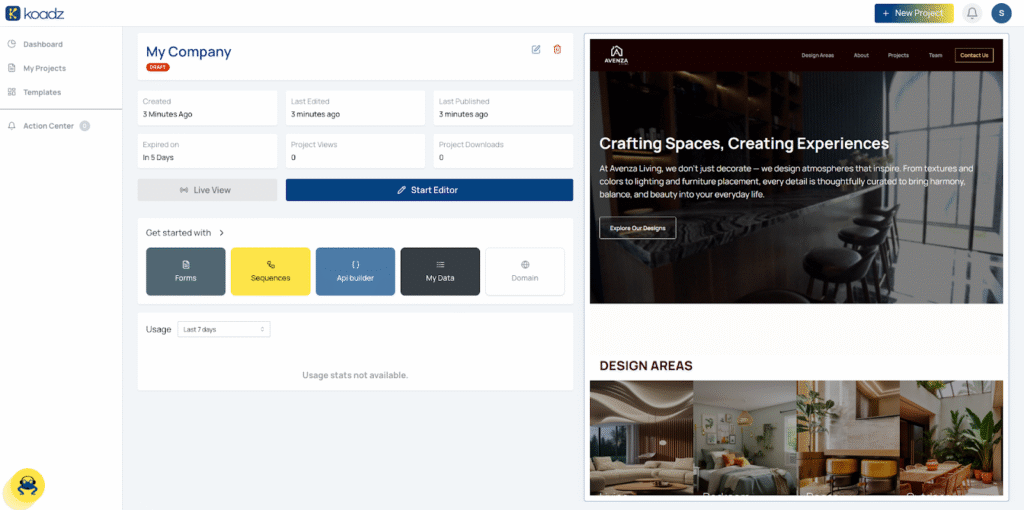
Tools like Koadz make this process simple by handling the design, hosting, and setup behind the scenes.
Why Small Businesses Are Switching to No-Code in 2025
For small businesses, time and cost matter. No-code platforms help with both. The main reasons more businesses are choosing these tools include:
- Lower cost: No need to pay developers or agencies for small updates.
- Speed: You can launch a website in hours instead of weeks.
- Ease of use: Editing text and adding images feels as simple as using a presentation app.
- Mobile-ready design: Templates are automatically optimized for phones and tablets.
- Built-in SEO tools: Basic search optimization is often included by default.
Step-by-Step: How to Build a Website Without Coding
Below is a straightforward process to go from idea to live website.
Step 1: Define Your Website’s Purpose
Clarify why you need a website and what it should accomplish. For instance, a restaurant may want an online menu and reservation form, while a freelancer might need a portfolio to showcase their work.
Having a clear goal helps you choose the right layout and features later.
Step 2: Choose a No-Code Website Builder
When selecting a builder, look for:
- Ease of use
- Quality of templates
- Hosting and domain options
- Reasonable pricing
Some popular options include Wix, Squarespace, and Koadz. Each has its own advantages, depending on your needs and budget.

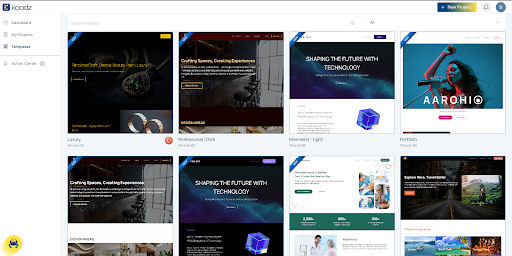
Step 3: Select a Suitable Template
Templates act as a visual starting point for your website. Choose one that fits your industry and reflects your brand style.
For example, Koadz suggests templates based on your business type, such as services, restaurants, or online stores.
Step 4: Customize Your Website
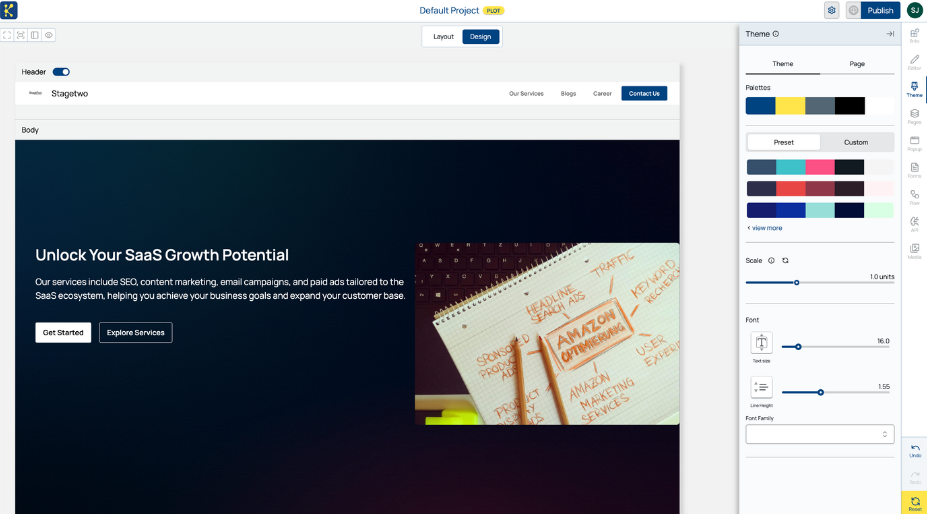
Update the text, replace images, add your logo, and adjust colors to match your branding. Most builders allow you to drag and rearrange sections directly on the page.
Focus on clarity and readability. Include a clear headline, a brief description, and a visible call to action, such as “Contact Us” or “Book Now.”
Step 5: Add Key Business Page
Every website should include the following core pages:
- Home: Introduces your business and what you offer
- About: Builds trust by sharing your background and story
- Services or Products: Explains what customers can buy or book
- Contact: Includes a form, phone number, or location map
- Testimonials (optional): Shares customer feedback if available
Platforms like Koadz can auto-generate these pages to help you start faster.

Step 6: Connect Your Domain
Your domain name (for example, mybusiness.com) gives your website a professional identity.
Most no-code builders let you connect an existing domain or purchase one directly from their platform. The process usually takes only a few minutes.
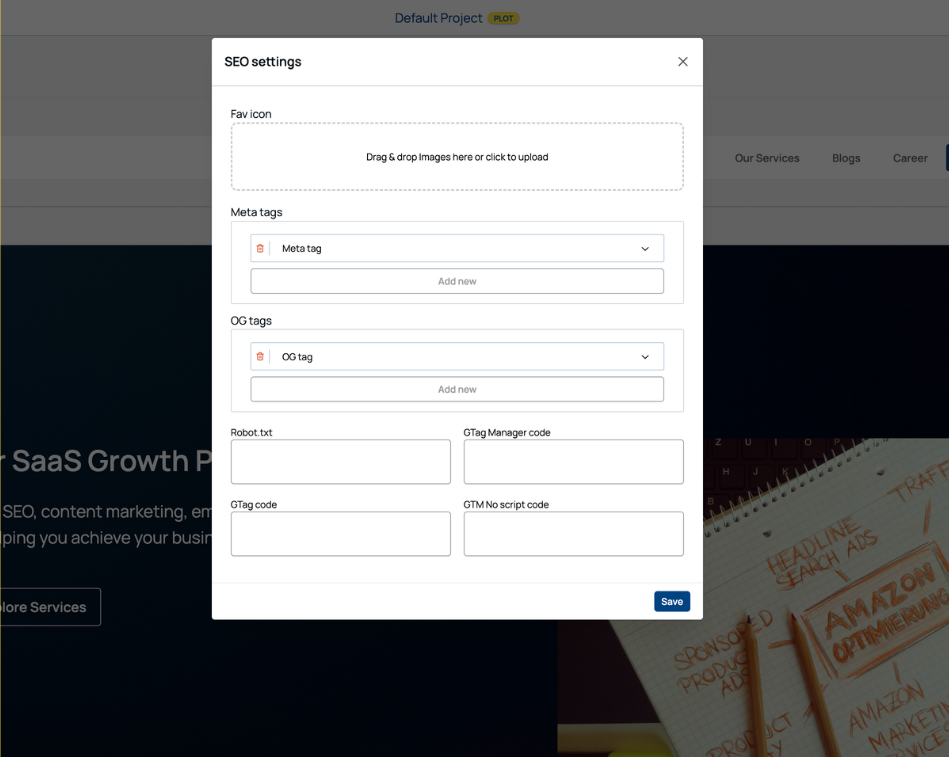
Step 7: Publish and Optimize for SEO
Before publishing, review your site’s:
- Page titles and meta descriptions
- Image sizes and alt text
- Mobile view and loading time
Modern builders, including Koadz, offer built-in SEO features to help your site appear correctly on Google. For deeper insights, connect your website to Google Search Console.
How Much Does It Cost to Build a Website Without Coding?
Building a website without coding is much more affordable than hiring a developer.
| Method | Average Cost | Time Required |
| Hiring a developer | $500–$2000+ | 2–6 weeks |
| Using a no-code builder | $5–$30/month | 1–2 hours |
Pricing varies depending on features, hosting, and domain costs. Koadz offers globally affordable plans designed for small businesses that want to minimize ongoing expenses.
Common Mistakes to Avoid
Even with simple tools, it’s easy to make small errors that affect performance or appearance. Avoid the following:
- Adding too much text or clutter
- Using low-quality images
- Forgetting to check mobile responsiveness
- Not having a clear call-to-action
- Ignoring basic SEO setup
A clean, focused website communicates more effectively and loads faster.
Popular No-Code Website Builders in 2025
| Builder | Best For | Price Range | Ease of Use | Notable Feature |
| Koadz | Small business sites | Affordable | Easy | Focused on SMB needs |
| Wix | Creative professionals | Moderate | Moderate | Design flexibility |
| Squarespace | Portfolios and blogs | Moderate | Easy | Polished templates |
| Shopify | Online stores | Higher | Moderate | E-commerce tools |
Each builder has strengths depending on your business type. For many small business owners, the right choice is the one that balances simplicity and cost.
Why Consider Koadz
Koadz was created to help small businesses get online easily and affordably. It provides ready-made templates, hosting, and essential tools in one platform.
The goal is not to compete with large, complex platforms but to offer a straightforward option for people who simply need a professional website that works.
FAQs
Do I need technical skills to use a no-code builder?
No. These tools are designed for beginners and include visual editors.
Can I use my own domain name?
Yes. You can connect your domain through your builder’s settings.
How long does it take to build a website?
Typically, a basic website can be completed in one or two hours.
Is no-code suitable for larger websites?
Yes, though for complex web applications, a developer may still be needed.
Conclusion
Building a website without coding has become practical and accessible for everyone. Small businesses no longer need to rely on developers or expensive agencies to create a credible online presence.
With modern no-code tools like Koadz, Wix, or Squarespace, you can design, launch, and manage your website independently, quickly, and affordably.
If you’ve been delaying your online launch, now is the right time to start. A simple, well-structured website can make your business more visible, trusted, and easier to reach.